How To
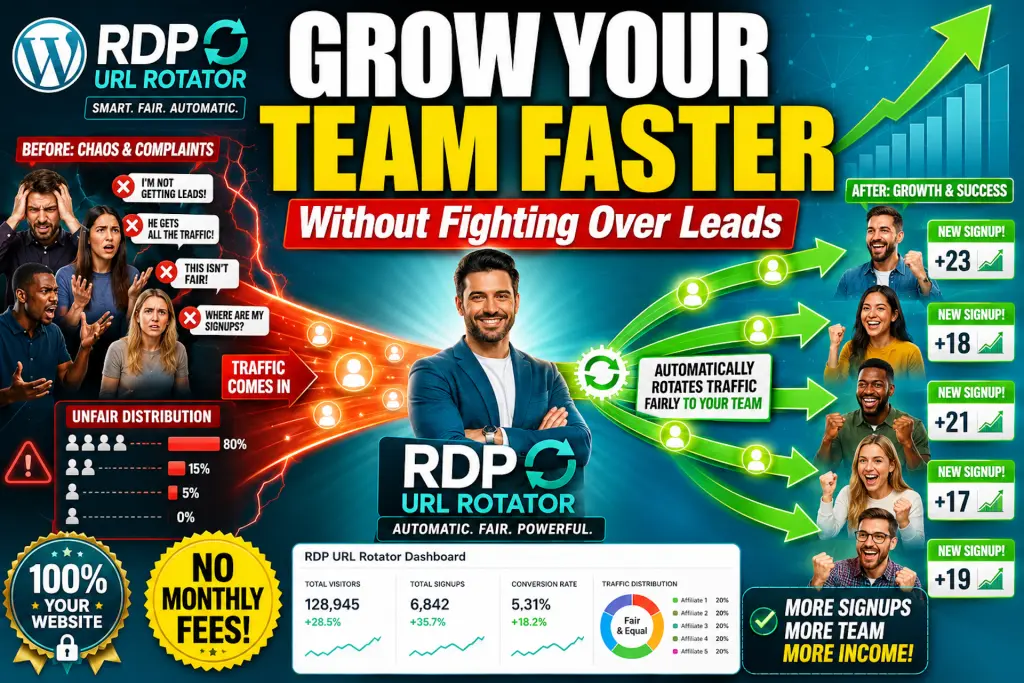
Grow Your Team Faster
Using One WordPress Plugin
WITHOUT PAYING MONTHLY FEES
Introduction
Create branded team rotators, distribute traffic fairly among active members, track every click, and manage your entire affiliate team from inside WordPress.
RDP URL Rotator helps affiliate marketers, team builders, and opportunity leaders distribute traffic across multiple participant links, track every redirect, and manage active team members from one simple WordPress dashboard.
Product Overview
| Vendor | RDP TechSolutions |
| Product | RDP URL Rotator |
| Launch Date | 2026-Jun-17 |
| Launch Time | 10:00 EDT |
| Front-End Price | $27-147 |
| Official Website | www.rdpurlrotator.com |
| Niche | Software |

RDP URL Rotator Benefits
- Create self-hosted WordPress-based rotators
- Distribute traffic fairly across team members
- Use weighted rotation to control traffic flow
- Activate or deactivate participant links anytime
- Track clicks, referrers, and traffic activity
- Avoid monthly third-party rotator fees
- Keep traffic data under your own control
- REST API foundation for future automation tools
Step 1: Create Your First Mother Link
Every rotator begins with a Mother Link. Think of it as the master URL that visitors will click before being distributed to participant links.
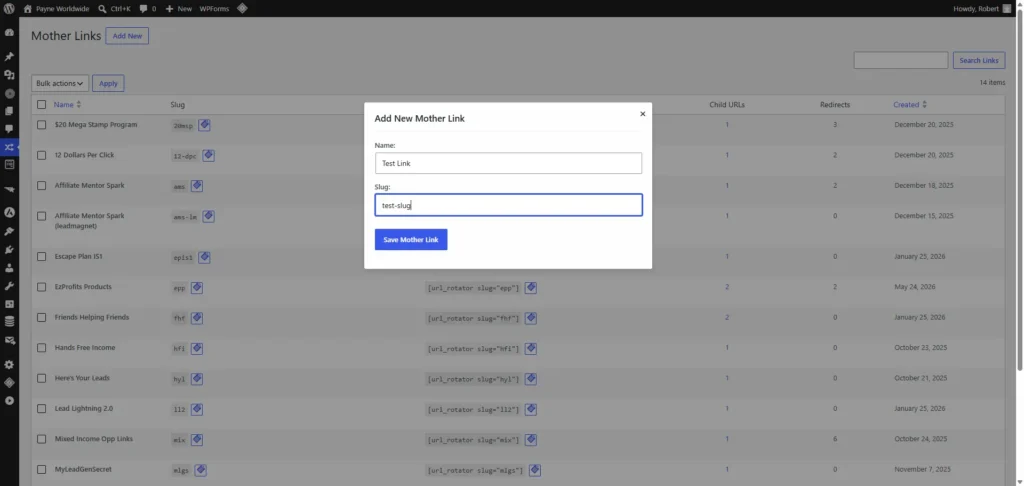
Simply enter a name and slug, save the Mother Link, and you’re ready to begin adding participant links.
Step 2: Add Participant Child Links
Once your Mother Link has been created, it’s time to add the destination URLs that will receive traffic.
These are called Child Links. Each Child Link represents a team member, affiliate, or participant who should receive traffic from the Mother Link.
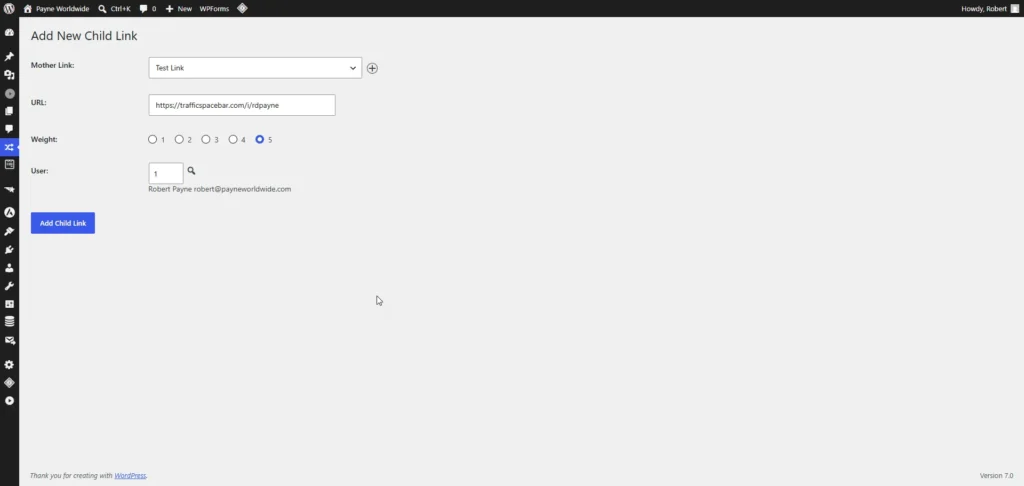
Simply select the Mother Link, choose the WordPress user associated with the participant, enter their referral URL, and save.
Optional: Control Traffic Distribution
You can assign a Weight to each Child Link to control how frequently it appears in the rotation.
Need to temporarily stop sending traffic to someone? Simply mark their Child Link as inactive and the rotator will automatically skip them until they’re reactivated.
Repeat the process for each team member you want included in the rotator. Once your Child Links are in place, you’re ready to start sharing your Mother Link and distributing traffic automatically.
Step 3: Share Your Mother Link
Once you’ve created your Mother Link and added your participant Child Links, you’re ready to start sending traffic.
Every Mother Link generates a simple, shareable URL that becomes the entry point for all of your traffic. Instead of managing multiple signup links, you only need to promote a single URL.
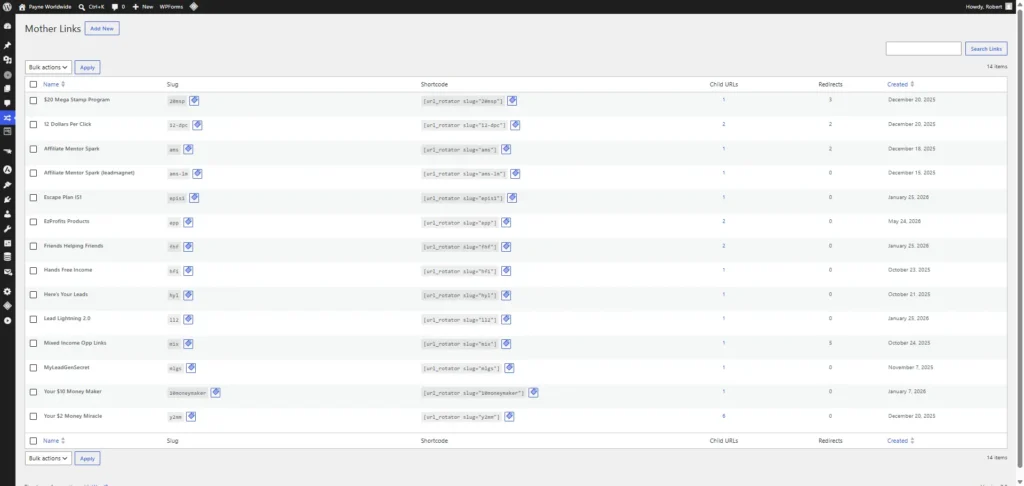
One Link. Multiple Destinations.
When someone clicks your Mother Link, RDP URL Rotator automatically selects one of the active Child Links based on your rotation settings and redirects the visitor instantly.
The visitor experiences a seamless redirect while your team members receive traffic fairly and consistently.
Promote Anywhere
Use your Mother Link in emails, social media posts, blog articles, YouTube descriptions, forums, and advertising campaigns.
One Link To Manage
Update participant links behind the scenes without changing the URL you’re promoting.
Fair Traffic Distribution
Every click is automatically routed according to your configured rotation and weighting rules.
This means you can focus on generating traffic while RDP URL Rotator handles the distribution automatically.
Why Use RDP URL Rotator Instead Of A Free Rotator?
Free rotators can be useful when you’re getting started, but as your team grows, the limitations quickly become apparent.
| Typical Free Rotators | RDP URL Rotator |
|---|---|
| Your traffic depends on a third-party service. | Runs on your own WordPress website. |
| Limited control over participant management. | Activate, deactivate, and manage participants yourself. |
| Little or no access to underlying data. | You own your traffic and your statistics. |
| May charge recurring monthly fees. | One-time purchase. No recurring software fees. |
| Cannot be customized. | Extendable through WordPress and REST APIs. |
| Not designed for future automation. | Built for integration with RDP Matrix Filler and other systems. |
The biggest difference?
You own the platform. Your traffic, your participants, your data, and your future integrations all remain under your control.
Pros and Cons
Based on the information available for RDP URL Rotator, it appears to be a tool designed to rotate URLs and distribute traffic across multiple destinations, which can be useful for affiliate marketers, agencies, and traffic management workflows.
✅ Pros
- Easy Traffic Distribution
Allows users to send visitors to multiple URLs automatically instead of manually splitting traffic.
- Useful for A/B Testing
Marketers can test different landing pages, offers, or funnels to identify which converts better.
- Better Affiliate Campaign Management
Helpful for affiliates running multiple offers and wanting to spread traffic evenly.
- Time Saving Automation
Once configured, the rotation process works automatically without constant monitoring.
- Supports Multiple Traffic Sources
Can be used with paid ads, email marketing, social media traffic, and organic visitors.
- Beginner Friendly
Generally easier than building custom traffic-routing systems from scratch.
- Potential Conversion Optimization
By testing different destinations, users may discover higher-converting pages and improve ROI.
❌ Cons
- Learning Curve for Beginners
Users unfamiliar with URL rotation concepts may need some time to understand proper setup.
- Results Depend on Traffic Volume
A/B testing and rotation become meaningful only when sufficient traffic is available.
- Not a Traffic Generator
The tool manages traffic but does not generate visitors itself.
- Possible Tracking Complexity
When multiple URLs are involved, analytics and attribution can become harder to manage.
- Requires Proper Funnel Setup
Poor landing pages or weak offers won’t improve simply because traffic is rotated.
- May Need Third-Party Integrations
Some advanced tracking setups may require additional marketing tools.
Conclusion
RDP URL Rotator can be a valuable tool for affiliate marketers, media buyers, lead generation agencies, and online businesses that want to test multiple landing pages or distribute traffic intelligently. The biggest advantage is automation and optimization potential through traffic rotation. However, it is not a magic solution—it works best when combined with quality traffic, strong offers, and proper tracking systems.
Ratings
⭐⭐⭐⭐☆ 4.3/5
Digital marketers running paid ads
Funnel testers
Not Ideal For:
Complete beginners with no traffic
Users expecting instant sales without testing
Businesses that only use a single landing page
Overall, if your goal is to optimize existing traffic and improve campaign performance, RDP URL Rotator offers more advantages than disadvantages.
Frequently Asked Questions
Do I need WordPress to use RDP URL Rotator?
Yes. RDP URL Rotator is a WordPress plugin and requires a self-hosted WordPress website.
Do I need any coding or technical skills?
No. Most users can install the plugin, create a mother link, add participant links, and begin rotating traffic without writing a single line of code.
Can I use it for affiliate marketing?
Absolutely. RDP URL Rotator was designed specifically with affiliate marketers, team builders, opportunity leaders, and traffic-sharing communities in mind.
Can I rotate traffic between multiple team members?
Yes. You can create a single mother link and distribute traffic across multiple participant links using weighted rotation and active/inactive participant controls.
Can I temporarily stop sending traffic to a participant?
Yes. Participant links can be activated or deactivated at any time without deleting them from the system.
Does the plugin track clicks and traffic statistics?
Yes. The built-in reporting dashboard tracks redirects, referrers, participant activity, and other valuable traffic information.
Can I exclude bots and search engine traffic from statistics?
Yes. RDP URL Rotator includes settings that allow you to exclude bots, crawlers, and search engine referrals from your reports.
Do I own my data?
Yes. Because the plugin runs on your own WordPress website, your traffic data, participant information, and statistics remain under your control.
Are there any monthly fees?
No. RDP URL Rotator is a self-hosted WordPress solution. There are no recurring software subscription fees required to keep your rotators active.
Yes. Licensed users have access to a JWT-secured REST API that allows integration with external applications and automation systems.
Can I use it on multiple websites?
The number of websites allowed depends on the license tier you purchase. Please refer to the pricing section for license details.
What happens after I purchase?
You’ll receive access to the plugin download, documentation, and installation instructions so you can begin building your first affiliate rotator right away.